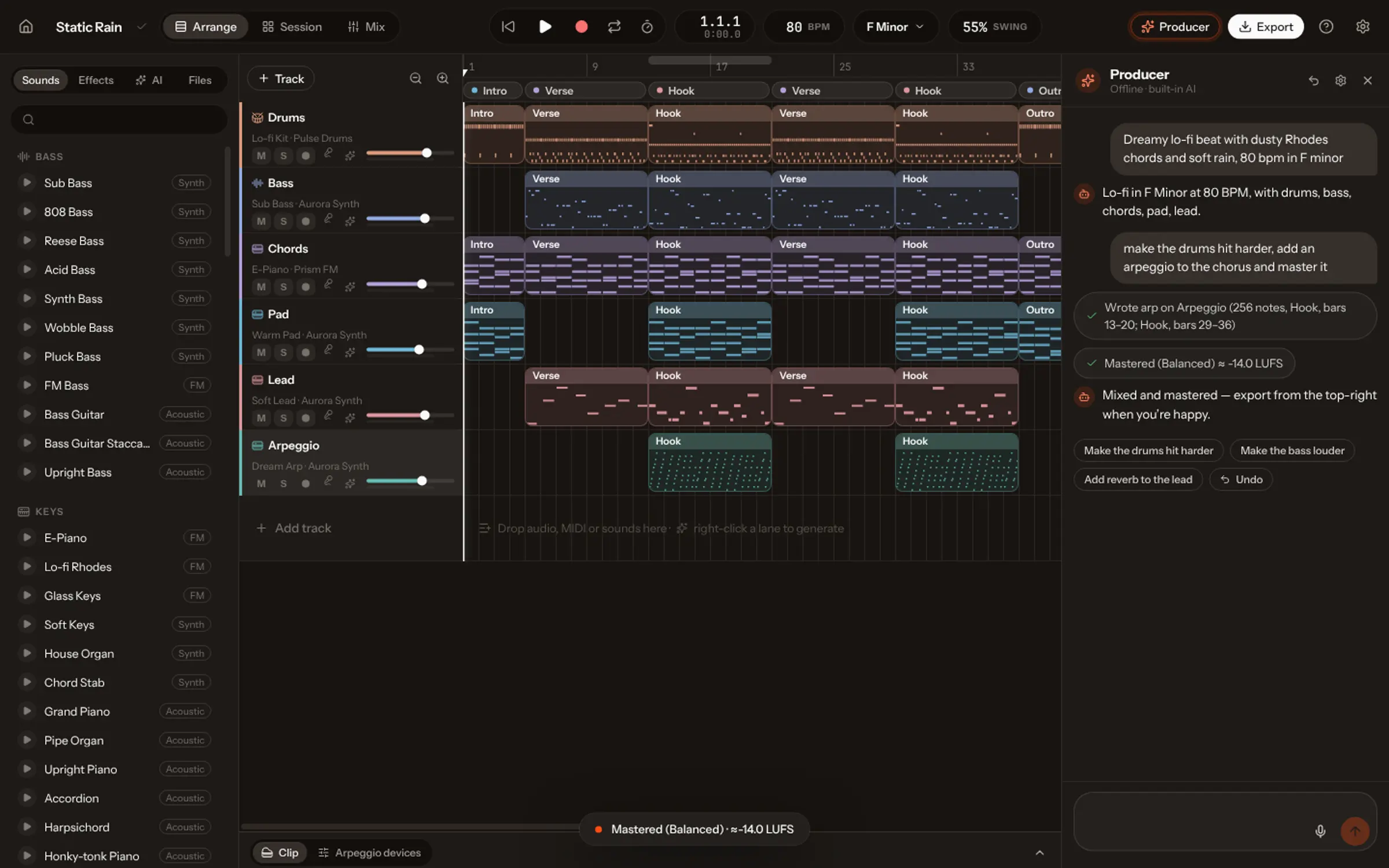
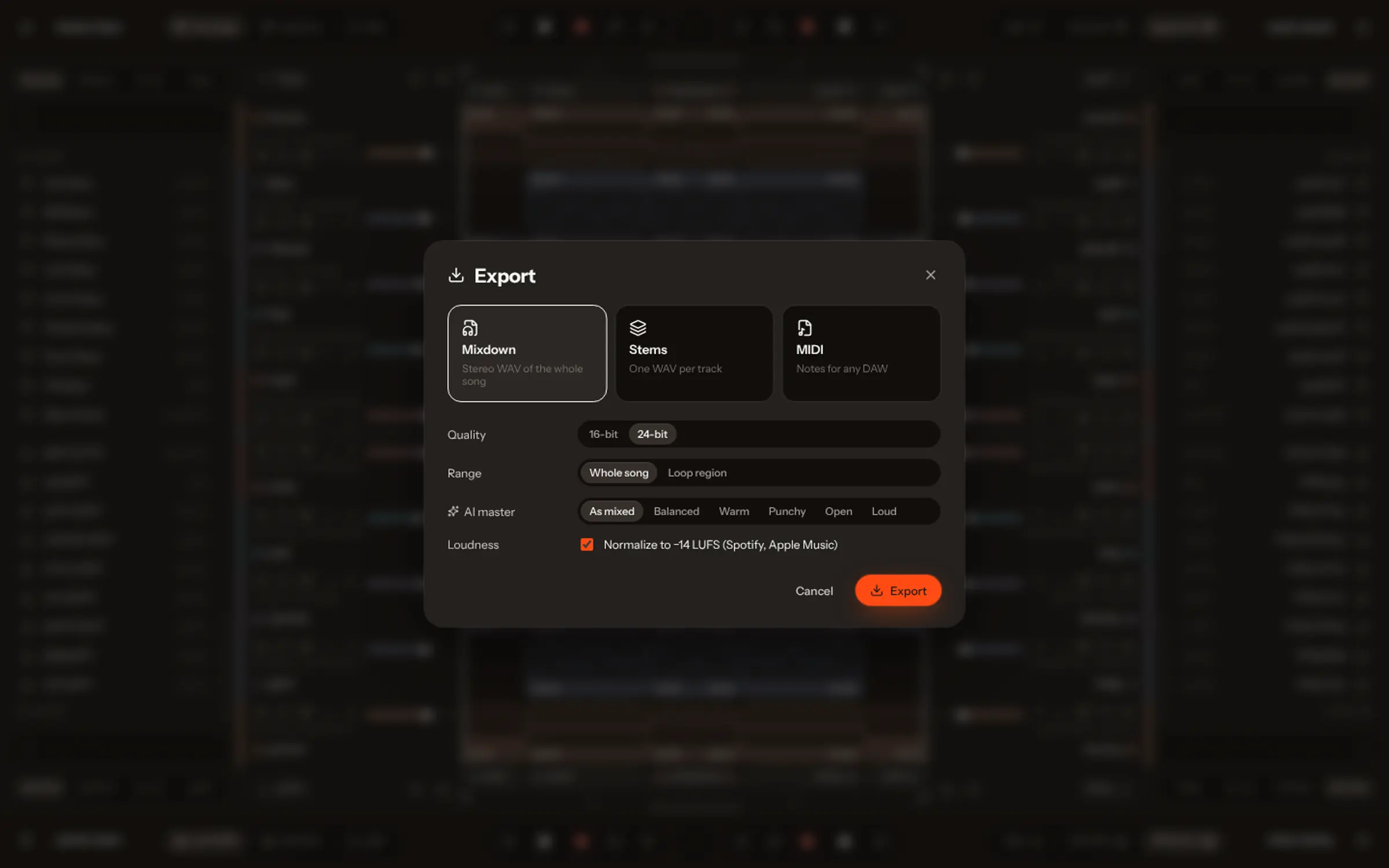
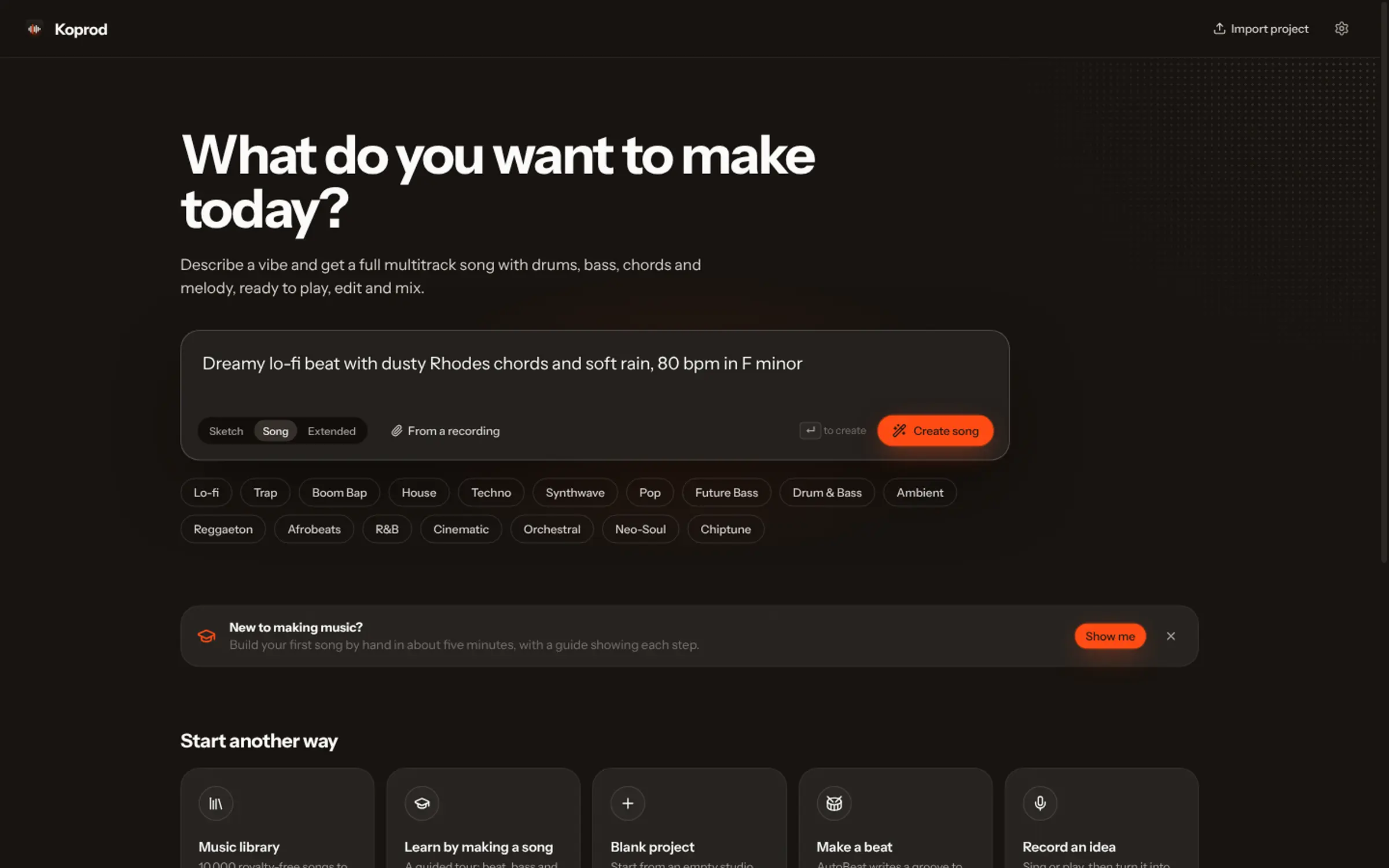
Describe the song in one sentence (a genre, a mood, two or three instruments and what it is about), choose lyrics or instrumental, and press Create. In Vocals, Coproducer v2.0 returns a finished, mastered song with vocals in a few minutes. Then open it in the studio: it splits into tracks and notes you can change.
A few years ago, “make a song with AI” meant a loop generator or a melody that sounded like a ringtone. Today it means a finished record: a voice singing original words over real-sounding instruments, mixed and mastered, ready to play. The question has moved from can AI make a song to what happens after: can you change it, do you own it, can you release it?
This guide walks through making a full song in Vocals from one sentence, then the part most AI song generators skip: opening it up and making it yours.
What you need before you start
Nothing to install and no instrument. Vocals runs in any modern browser (Chrome, Edge, Firefox or Safari) and as a Mac app. You need a free account, and your first song needs no card.
What helps is an idea of the song in your head. Not the notes: the feeling. Where would it play? A late drive, a wedding, a workout, the end credits of a short film? That picture is most of your description.
Step 1: describe the song in one sentence
Open Create and type what you hear in Describe your song. One sentence is enough when it names the right things:
- A genre, as precise as you can: “deep house” says more than “electronic”.
- A mood, in one or two words: dreamy, late-night, uplifting.
- Two or three instruments you want to hear first: warm Rhodes, punchy 808s, soft strings.
- What it is about: the story the lyrics are written from.
For example: “A warm acoustic pop song about the first day of summer, hand claps, catchy chorus.” The sound tags under the box (dreamy, acoustic guitar, big drums…) add words for you if you are stuck. The guide to AI music prompts goes deeper into each layer.
Ask for a style, never a person. “Breathy indie vocals” works; a famous singer’s name is refused. That rule protects you as much as the artist: a song that imitates someone is a song you can’t safely release.
Step 2: lyrics or instrumental
Choose With lyrics and Vocals writes original words sized to the song: the chorus early, lines that fit their slot, verses that tell the story you described. Choose Instrumental for music only, for a video, a podcast intro or a game.
You can also write your own words. Paste them in, with section tags like [Verse] and [Chorus] if you want to control the shape, or start from the AI’s draft and change a line.
Step 3: press Create and listen
Tick Full AI song to use Coproducer v2.0, Vocals’ engine for complete records. It reads your idea (genre, tempo, key, mood and a title), writes the words, and makes the audio, vocals included. It takes a few minutes; a banner tells you when the song is ready, and it lands in your library with a cover.
Not quite it? Press Create again for another take of the same idea and the same words, or change one word of the description. Small changes move the result more than you would expect: “dreamy” and “nostalgic” are different songs.
Step 4: open it as tracks and notes
This is where most AI music generators stop: they hand you a mixed audio file. If the bassline is too busy or the drums are too loud, your only option is to generate again and hope.
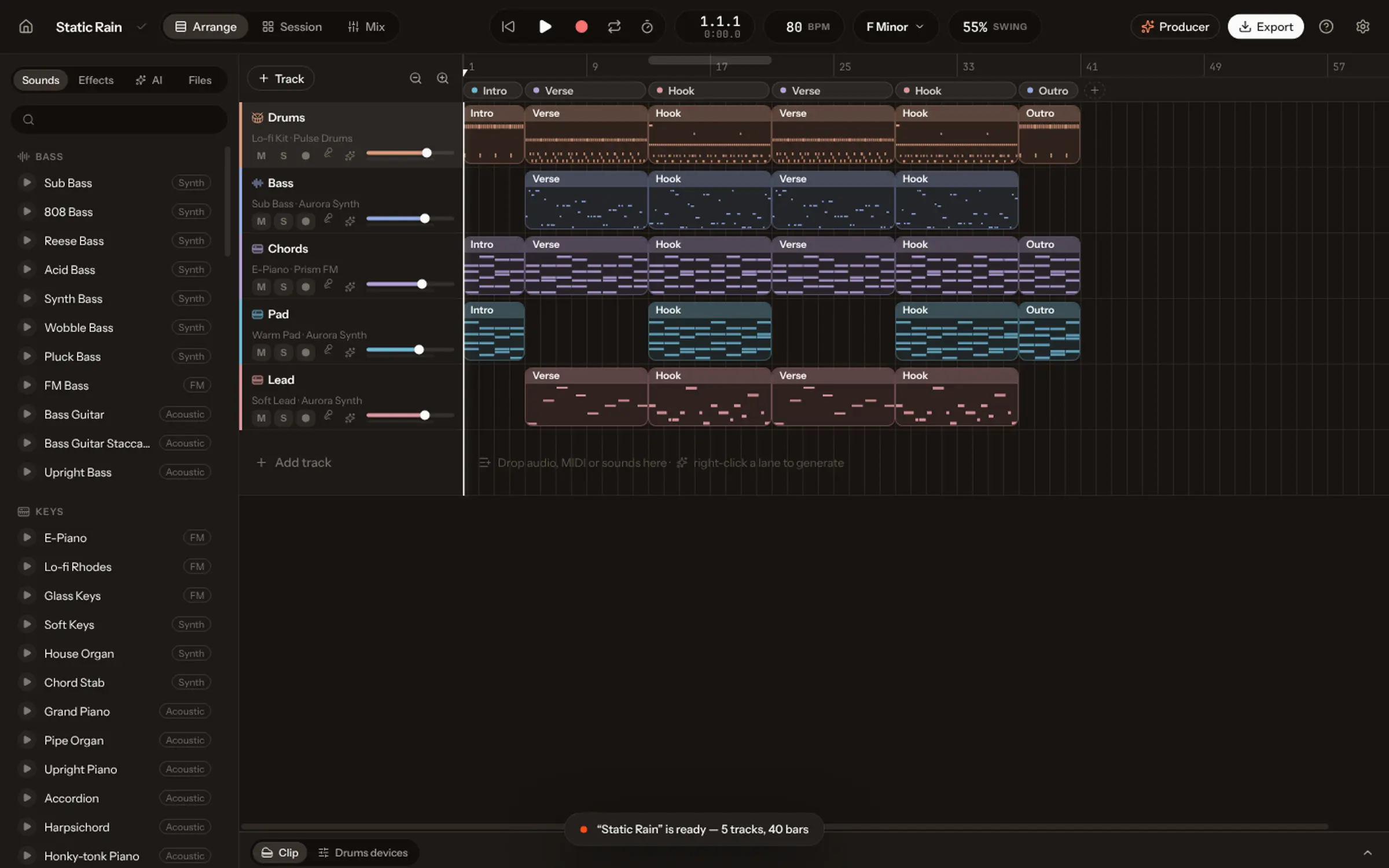
In Vocals, press Studio. The song comes apart: the vocals, drums and bass on tracks of their own, and every instrument the AI heard (35 families, from piano and guitars to strings, brass and synths) written down as notes on Vocals’ instruments. You can now:
- change one chord, one drum hit or a whole part in the piano roll;
- swap a sound, say the piano for a Rhodes, without touching the notes;
- ask the AI Producer in plain words: “make the drums hit harder”, “add a counter-melody in the last chorus”;
- mix it, and master it to the loudness streaming services expect.
The guide to editing an AI-generated song goes through each of these.
Step 5: export, publish or release
When it sounds right, export a WAV or MP3 of the mix, the stems (one file per track) or the MIDI. Publish it to your profile in the Community, turn it into a 9:16 clip with its lyrics, or upload it to Spotify and the other stores with a distributor. What you make in Vocals is yours, commercial use included, with no royalties to Vocals. Releasing AI music has the details worth knowing first.
Full song first, or notes first?
Vocals has two ways to start. Coproducer v2.0 makes the finished record first and splits it when you open it. Coproducer 1.0 writes every part as notes straight away, in about a minute, played on Vocals’ instruments: better for sketching an idea and building it part by part. Both end in the same place, a song you can change note by note. More on Coproducer v2.0.